Under extrusion: causes and fixes
Quick answer
Under extrusion is often a flow ceiling problem, not a hardware fault: if layer height times line width times speed asks for more plastic than the hotend can melt, a stock PTFE hotend, around 12 mm3/s, an all-metal, around 20, or a high-flow hotend, around 32, will silently under-extrude with no error shown.
The flow ceiling figures for each hotend class are approximate published performance figures from hotend manufacturers, while the diagnostic order below, flow ceiling before hardware faults, is standard practice among experienced FDM users.
What does under extrusion look like on a finished print?
Under extrusion shows up as visible gaps between adjacent lines of plastic that should be touching, thin or missing top layers that let light through, weak layer bonding that lets a part snap apart more easily than it should, and small pinholes scattered across otherwise solid surfaces. Vertical walls can look striped or slightly see-through rather than fully opaque.
These symptoms can range from barely noticeable, a slightly rough top surface, to severe, entire sections of a wall missing plastic. The severity usually scales with how far actual demand exceeds what the hotend can deliver, which is why the same printer can under-extrude badly on one profile and not at all on another.
Could this be a flow ceiling problem rather than a hardware fault?
Every hotend has a maximum rate at which it can melt plastic, measured in cubic millimeters per second, and that rate is set by how much heat the heater block can transfer into the filament as it passes through. Layer height, line width, and print speed together determine how much plastic per second a given print profile is asking the hotend to melt. Multiply those three numbers together and the result is the flow rate being demanded.
This is the part that catches people off guard: if that demanded flow rate exceeds what the hotend can actually deliver, the printer under-extrudes silently. There is no clog, no error message, and no obvious mechanical fault. The extruder motor keeps turning and feeding filament normally; the hotend simply cannot melt it fast enough to keep up, so less plastic than expected comes out the nozzle. A print profile that worked fine at a lower speed or a smaller layer height can start under-extruding the moment it crosses that ceiling, even with everything else on the printer working correctly.
Is my nozzle partially clogged instead?
A partial clog produces symptoms that look similar to a flow ceiling problem, gaps, thin walls, inconsistent extrusion, which is part of why the two get confused. The way to tell them apart is consistency: a flow ceiling problem shows up reliably at the same speed and layer height settings and disappears when those settings are lowered, on any filament. A partial clog tends to be inconsistent within the same print, sometimes clearing briefly before returning, and often traces to a specific spool or a specific patch of dust or debris rather than the settings themselves.
If lowering speed or layer height fixes the problem completely and immediately, that points to a flow ceiling. If the problem persists even at low speed and low layer height, or gets worse over the course of a single print, that points to a partial clog instead.
Could wet filament be the reason?
Wet filament pops and prints weak as trapped moisture turns to steam inside the hot nozzle, and that disrupted flow can look like general under extrusion even when the flow ceiling and the nozzle are both fine. This is worth ruling out on any hygroscopic filament, PETG, nylon, or TPU among the common ones, especially nylon, which absorbs moisture faster than the others. Drying a suspect spool before adjusting speed, temperature, or hardware settings is a cheap and fast thing to try.
How do I find and fix my flow ceiling?
Work out the flow rate a print profile demands by multiplying layer height by line width by print speed. As an example, a 0.3mm layer height with a 0.6mm line width at 150mm/s asks for roughly 27 mm3/s, a rate that exceeds both a stock PTFE hotend and a typical all-metal hotend, and would need a high-flow hotend to print cleanly. A more modest profile, a 0.2mm layer at 0.4mm line width and 60mm/s, asks for around 4.8 mm3/s, comfortably inside every hotend class listed below.
If a print is under-extruding and the math shows the demanded flow rate is close to or above the hotend's rated ceiling, the fix is to reduce the demand: print slower, use a thinner layer height, or use a narrower line width, rather than assuming something is broken. Lowering just one of the three variables is often enough to bring a profile back under the ceiling.
When do I actually need a different hotend?
Upgrade the hotend only when the print profiles actually needed require a flow rate the current hardware cannot deliver, not as a default response to under extrusion. A stock PTFE hotend handling roughly 12 mm3/s is genuinely enough for the great majority of hobby printing, most detailed miniatures and functional parts at reasonable speeds. An all-metal hotend, around 20 mm3/s, buys more headroom for larger layer heights or faster bulk printing. A high-flow hotend, around 32 mm3/s, is aimed specifically at large-nozzle, high-speed printing where a stock or all-metal hotend would under-extrude no matter how carefully the rest of the machine is tuned.
Before buying a new hotend to fix under extrusion, confirm with the flow rate calculation above that the current hardware is genuinely the limit, not a partial clog, wet filament, or a profile that could just as easily be slowed down slightly with no real loss in print quality.
| Hotend type | Approx max flow | Typical use |
|---|---|---|
| Stock PTFE-lined | ~12 mm3/s | Most hobby printing at moderate speeds and layer heights |
| All-metal | ~20 mm3/s | Larger layer heights, higher-temperature filaments, more headroom |
| High-flow | ~32 mm3/s | Large nozzles and high-speed bulk printing |
Equipment mentioned here
- Mudder
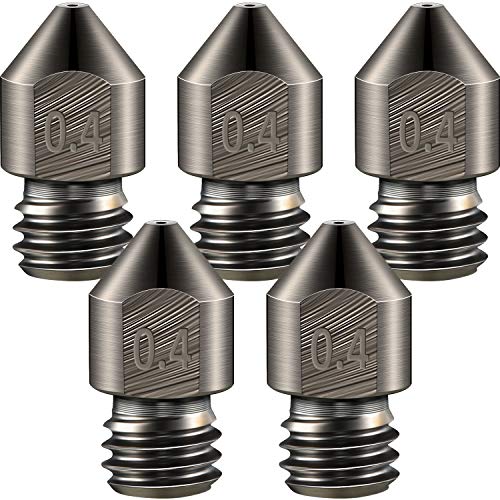
Mudder 5 Pcs Hardened Steel Nozzles 0.4mm Mk8 3D Printer Nozzles
Under $25 Check priceBudget range; the button shows the current price - Comgrow
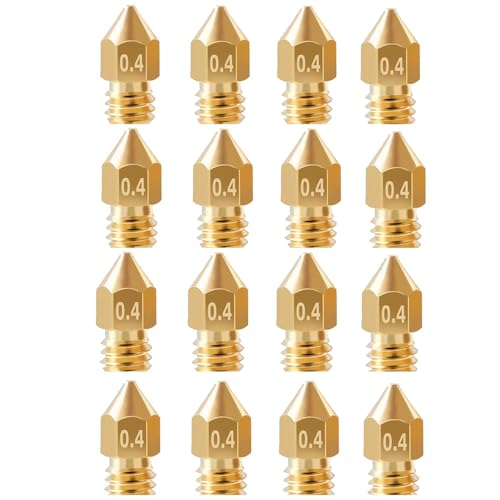
Comgrow 25PCS MK8 Ender 3 V2 Nozzles 0.4MM, 3D Printer Brass Hotend Nozzles
Under $25 Check priceBudget range; the button shows the current price - Creality
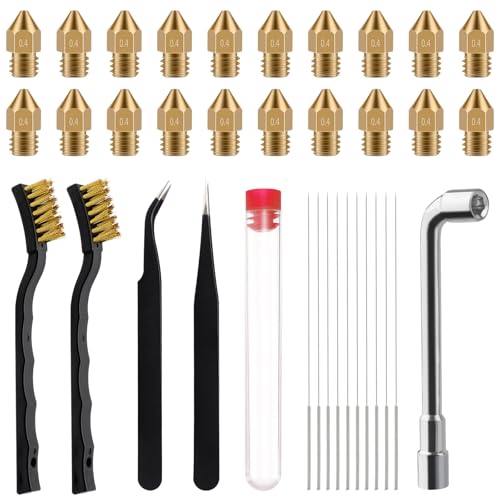
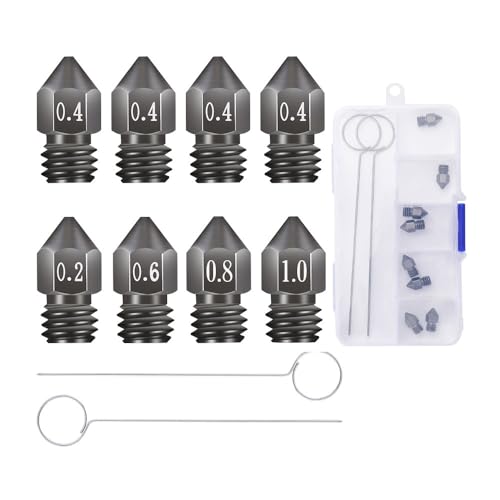
8Pcs 3D Printer Upgraded Hardened Steel MK8 Nozzles w/DIY Tool Storage Box
Under $25 Check priceBudget range; the button shows the current price


Safety
Common questions
Why does my printer under-extrude with no error message?
Because a flow ceiling problem is not a fault the printer can detect. The extruder motor keeps feeding filament normally and the hotend keeps heating normally; the hotend just cannot melt plastic fast enough to keep up with what the print profile is asking for. Nothing is broken, so there is nothing for the firmware to flag as an error.
How do I calculate the flow rate my print profile needs?
Multiply layer height by line width by print speed, all in millimeters and millimeters per second, to get cubic millimeters per second. Compare that number to the hotend's rated flow ceiling. If the demanded rate is close to or above that ceiling, the profile is likely to under-extrude regardless of how well the rest of the printer is tuned.
Will upgrading to an all-metal hotend fix under extrusion?
It will if the current hotend's flow ceiling is genuinely the limiting factor for the print profiles being used. It will not fix under extrusion caused by a partial clog, wet filament, or worn extruder gears, so it is worth ruling those out first with a simple speed or layer height reduction test before spending money on new hardware.
Why did a profile that used to print fine start under-extruding?
A print profile sits close to the hotend's flow ceiling more often than people expect, and a small change, a slightly worn nozzle, a new spool with a different melt behavior, a cooler room affecting heater performance, can be enough to push it over the edge. Try the same profile at a slightly slower speed before assuming a hardware fault.
Does a bigger nozzle diameter help with under extrusion?
Not directly. Nozzle diameter changes line width, which is one of the three factors in the flow rate calculation, but a wider nozzle without also adjusting speed or layer height can just as easily push a profile further past the flow ceiling rather than under it. Balance all three factors together rather than changing nozzle size alone.