Clearing a clogged nozzle
Quick answer
A true clog stops extrusion completely and the extruder motor clicks or skips; a partial clog just thins the flow and leaves gaps. The fix for each is different, ranging from a cold pull to a full needle clean to replacing the nozzle outright.
Nozzle sizes and hotend flow figures come from published specifications, while cold pull and needle cleaning technique is standard, widely used troubleshooting convention rather than a manufacturer-mandated procedure.
How do I tell a full clog from a partial clog?
A full clog stops extrusion entirely. Filament stops coming out of the nozzle, and the extruder motor typically responds by clicking, skipping, or grinding against the filament as it tries and fails to push more material through a blocked path. This usually happens suddenly, mid-print or at the start of one, rather than developing gradually.
A partial clog is more subtle: filament still comes out, but at a reduced and often inconsistent rate, producing the gaps, thin walls, and pinholes that also show up with under extrusion caused by a flow ceiling problem. The distinguishing sign of a partial clog is that it tends to get worse over the course of a print or a session, and can sometimes clear briefly before returning, rather than staying perfectly consistent the way a flow ceiling limit does.
What actually causes a nozzle to clog?
A few distinct things cause clogs, and they call for different fixes. Debris in the filament itself, dust that settled on an open spool, a bit of dirt picked up during printing, can lodge inside the nozzle and partially or fully block it. Filament left printing at too low a temperature for its melt point can carbonize slightly inside the nozzle over time, leaving a residue that narrows the opening. Wet filament pops as trapped moisture flashes to steam, and the resulting disrupted flow can also leave residue behind.
A nozzle that has been used heavily, especially with abrasive filaments like carbon-fiber-filled PETG, can also wear internally in a way that changes flow behavior even without a true blockage. That kind of wear is a nozzle replacement issue rather than a cleaning issue.
Could this be heat creep instead of debris?
Heat creep is a specific and less obvious cause of clogging: heat migrates further up the hotend than it should, softening filament in the cooler upper section of the nozzle assembly where it is meant to stay solid. That softened filament can then swell slightly and jam against the walls of the heat break, blocking the path even though nothing foreign has entered the nozzle at all. Heat creep tends to show up after a printer sits paused or prints very slowly for a while, since both give heat more time to travel upward, and it is more common on hotends with inadequate cooling on the heat sink above the heat break.
If clogs keep recurring on the same printer without an obvious cause like dusty filament, checking that the heat sink fan is running and the heat break area is getting adequate airflow is worth doing before assuming every clog is a debris problem.
How do I do a cold pull?
A cold pull, sometimes called an atomic pull, clears many partial clogs without disassembling the hotend. Heat the nozzle to a temperature suited to whatever filament is currently loaded, feed a length of cleaning filament (or the same filament) through by hand, then let the nozzle cool to a much lower temperature, one just below where the filament becomes fully rigid, before pulling the filament back out firmly in one motion. Done correctly, the solidifying filament drags out any debris or residue stuck to the inside of the nozzle along with it.
It often takes more than one pull to fully clear a clog, and the pulled-out filament tip is worth inspecting each time: a clean, unbroken cone-shaped tip generally means the nozzle is clear, while a rough, broken, or discolored tip suggests debris is still present and another pull is needed.
When does the nozzle need a needle clean or a full swap instead?
If a cold pull does not restore normal flow after a couple of attempts, a needle cleaning kit lets you clear the nozzle orifice directly by heating the nozzle and passing a thin needle through the opening from the tip. This works well for a stubborn partial clog that a cold pull alone did not fully clear, but go slowly and use a needle sized for the nozzle's actual bore rather than forcing a larger one through, which can damage or widen the opening.
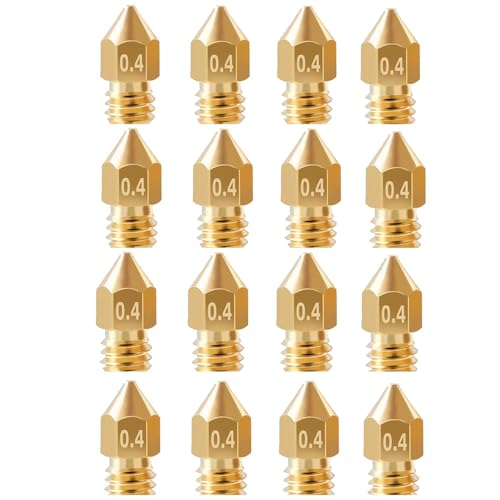
A full clog that neither a cold pull nor a needle clears, or a nozzle that shows visible wear, a chewed-up tip, an enlarged opening, or scoring, is worth replacing outright rather than continuing to fight it. Nozzles are inexpensive enough, and available in multi-packs, that swapping a worn or badly clogged one is often faster and cheaper than a long cleaning session, especially on a nozzle that has already seen heavy use.
How do I stop it from happening again?
Store filament properly between prints rather than leaving it open to collect dust and moisture; a sealed container or a vacuum bag with desiccant keeps both debris and moisture away. Dry any filament that has been sitting exposed for a long stretch before printing with it again, since wet filament is a direct contributor to clogging as well as stringing and weak layers. Keep print temperatures matched to what the filament actually needs rather than printing cold to save a few degrees, since under-temperature printing is one of the more common slow paths to a carbonized, clogged nozzle.
| Clog type | Symptom | First fix |
|---|---|---|
| Full clog | No extrusion, extruder clicks or grinds | Cold pull, then needle clean if needed |
| Partial clog, debris | Inconsistent flow, worsens during print | Cold pull |
| Partial clog, heat creep | Recurs after pauses or slow printing | Check heat sink fan and airflow, then cold pull |
| Worn nozzle | Flow changes without a hard blockage | Replace the nozzle |
Equipment mentioned here
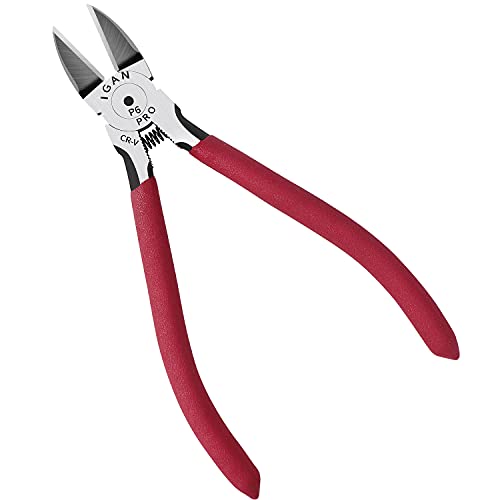
- BOENFU
BOENFU Wire Cutters Heavy Duty Snips Flush Cut Side Cutters Pliers
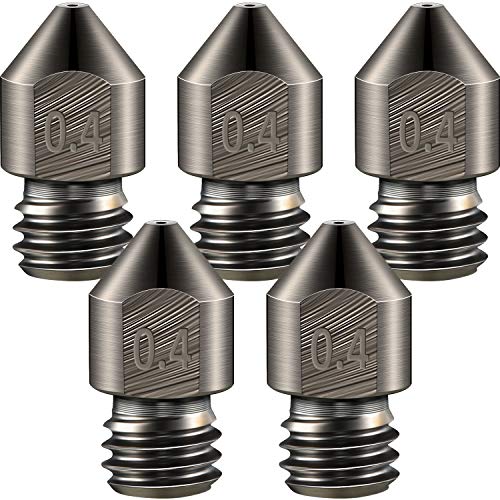
Under $25 Check priceBudget range; the button shows the current price - Mudder
Mudder 5 Pcs Hardened Steel Nozzles 0.4mm Mk8 3D Printer Nozzles
Under $25 Check priceBudget range; the button shows the current price - Comgrow
Comgrow 25PCS MK8 Ender 3 V2 Nozzles 0.4MM, 3D Printer Brass Hotend Nozzles
Under $25 Check priceBudget range; the button shows the current price



Safety
Common questions
What is the difference between a cold pull and a needle clean?
A cold pull uses cooling filament itself to drag debris out of the nozzle from the inside, without disassembling anything. A needle clean uses a thin needle pushed through the nozzle opening from the tip while the nozzle is hot, targeting a specific stubborn blockage a cold pull did not fully clear.
Can I prevent clogs by printing at a higher temperature?
Printing at too low a temperature for the filament is a real contributor to clogging, since underheated filament can carbonize inside the nozzle over time. Matching temperature to the filament's actual requirements helps, but printing hotter than needed brings its own problems, including stringing, and is not a substitute for keeping filament clean and dry.
Why does my nozzle keep clogging on the same printer?
Recurring clogs usually point to one specific ongoing cause rather than bad luck: dusty or wet filament, a heat sink fan that has failed or is undersized, or a nozzle that has worn out and needs replacing. Check filament storage and heat sink airflow before assuming each clog is an unrelated, one-off event.
Is a brass or a hardened steel nozzle less likely to clog?
Nozzle material affects wear resistance more than clog resistance. Brass is common and reliable for standard filaments. Hardened steel resists wear better against abrasive filaments like carbon-fiber blends, which matters because a worn nozzle can develop flow problems that resemble a clog even without an actual blockage.
How many times can I cold pull before I should just replace the nozzle?
There is no fixed number, but if two or three cold pulls plus a needle clean do not restore normal extrusion, or the nozzle shows visible wear or damage, replacing it is usually faster and more reliable than continuing to clean a nozzle that may be worn out rather than simply clogged.